Check the pickup window
Review the scheduled opening and closing times in the scanner’s Pickup Details. Plan to service the pickup within that window.


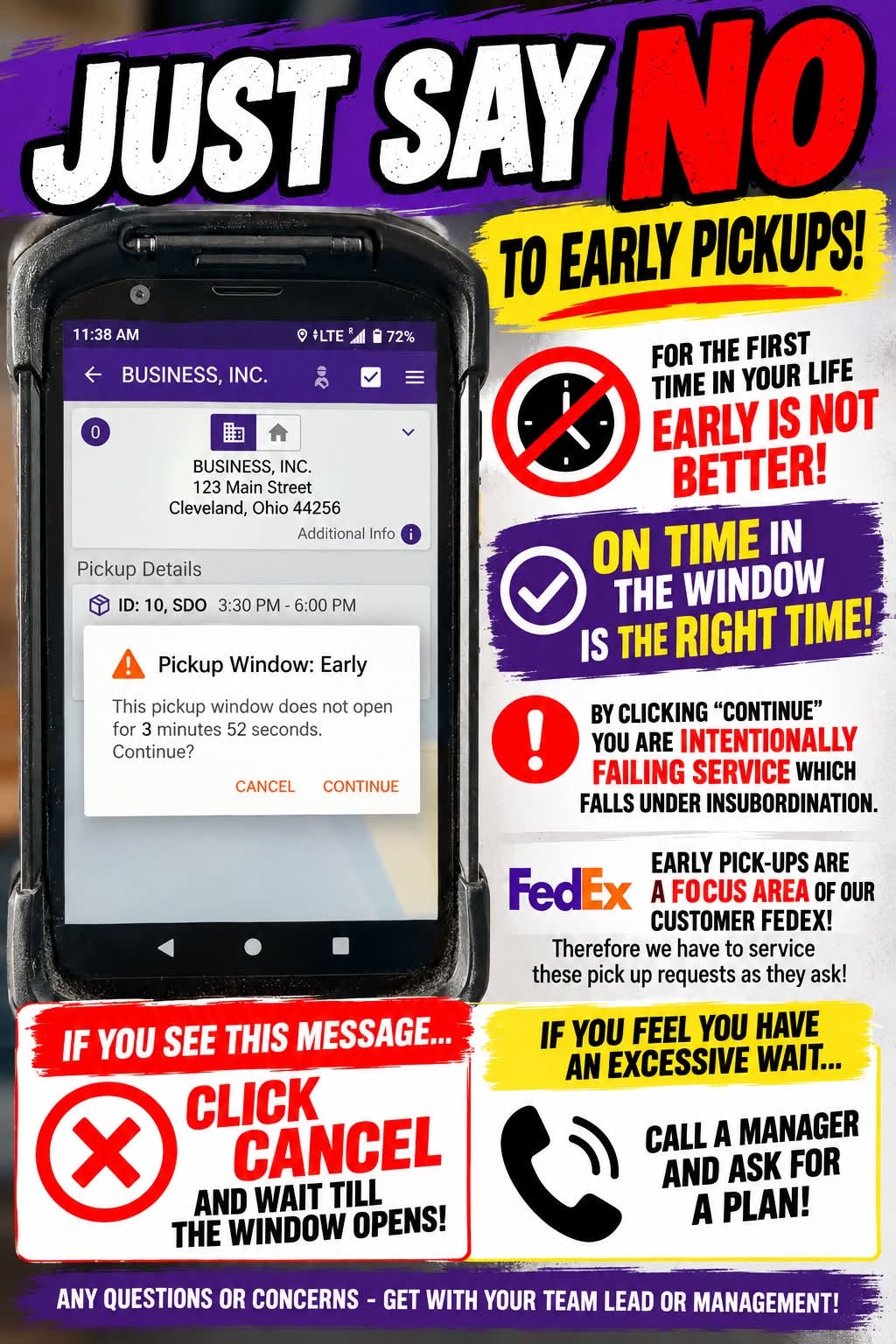
Check the pickup details on your scanner and follow the customer’s scheduled pickup window. Early pickups are a FedEx service focus—early is not better.
Review the scheduled opening and closing times in the scanner’s Pickup Details. Plan to service the pickup within that window.
If “Pickup Window: Early” appears, tap Cancel. Wait until the window opens before proceeding.
If you feel you have an excessive wait, call a manager and ask for a plan. Do not bypass the warning to save time.
Find management contact numbers →Bring pickup questions or concerns to your team lead or management.
The scanner address and times shown below are examples. Follow the actual pickup details for your stop.
To print, open the flyer and choose Print in your browser.